
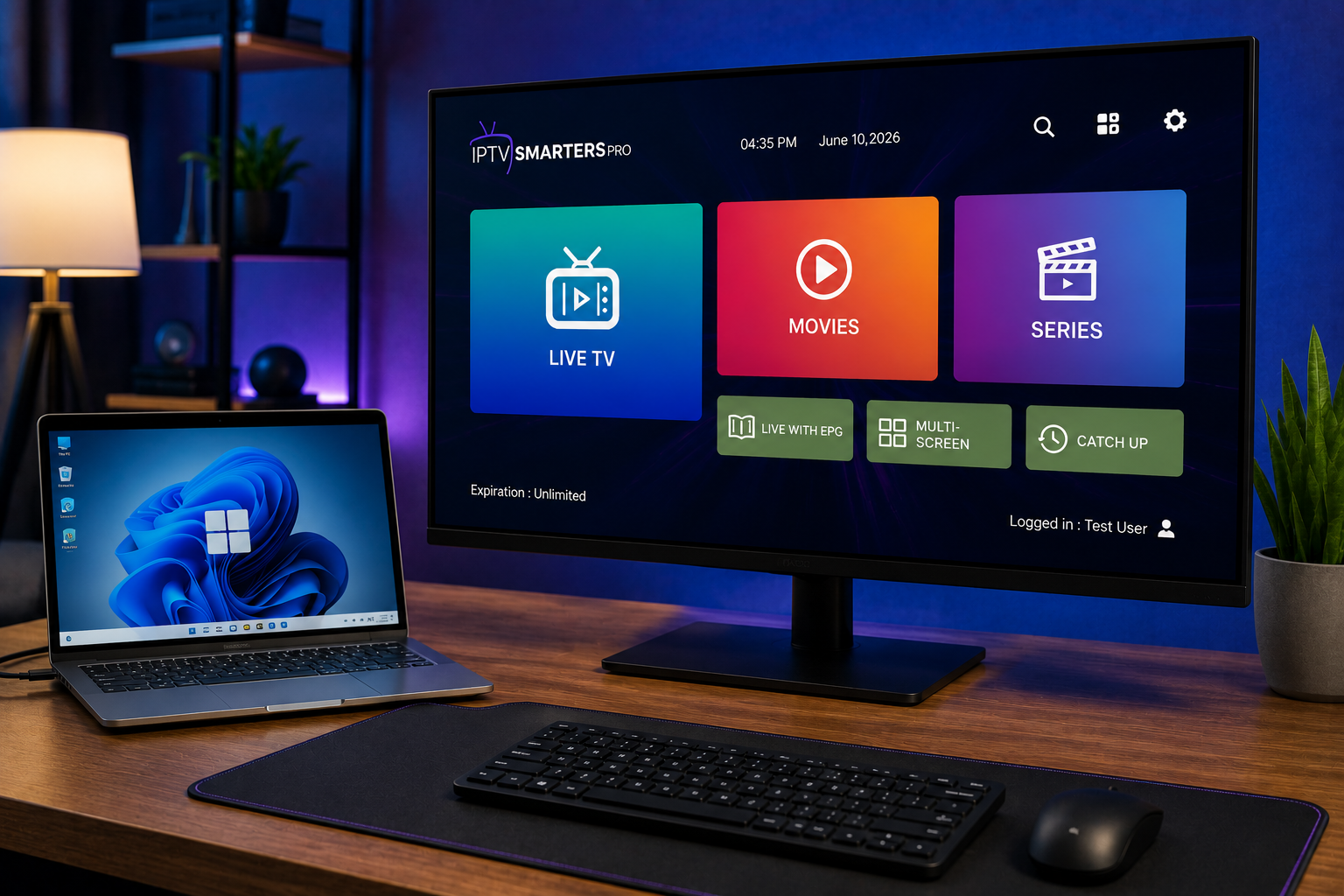
If you are looking for iptv smarters pro windows, you probably want one simple thing: Swedish live TV, sports, movies and series working on your PC without trial and error. The Windows app can be useful when your computer is connected to a monitor, projector or TV, but it still needs a valid IPTV subscription, correct login details and a stable internet connection.
What the competitor pages show
The Microsoft Store result is mainly a download page. Its visible title says the app is available as a free Windows install, but the page required JavaScript during review, so deeper details such as features, screenshots and recent notes could not be checked from the listing.
Uptodown gives more detail. It lists IPTV Smarters Pro 1.1.2 for Windows, describes it as an app for watching IPTV links on PC, and says users need a username, password and URL. It also mentions live TV, on demand channels, country sorting, favorites, schedules, full screen, audio changes, catch up from the start when programmed, and multiscreen.
The gap is clear. Both pages help users find the app, but neither gives a full Sweden focused setup plan covering safe download choices, Xtream login, M3U links, EPG, performance, black screen fixes and support questions.
iptv smarters pro windows: what you need first
Before installing anything, prepare three items. You need your Windows PC, a working IPTV account and the login method from your provider. Most users receive either Xtream Codes details or an M3U playlist link. Xtream usually includes a server URL, username and password. M3U is often one long web address.
Keep those details private. A playlist link can contain account information, so treat it like a password. Save it in a password manager, not in a public chat or screenshot.
Safe download and installation
Start with the Microsoft Store. Store installs are easier to update and reduce the risk of downloading the wrong file. Search for the exact app name, check the publisher and read recent reviews before installing.
If you use a third party download page, be careful. Uptodown lists the Windows file as an EXE and shows file details such as version, date, size and SHA 256 hash. That is useful for transparency, but you should still avoid random mirrors, repacked installers or links shared in private groups.
Login with Xtream Codes
Choose the option for Xtream Codes API or add user. Enter a profile name, then copy the server URL exactly. Include the correct protocol and port if your provider supplied one. Add the username and password, then save.
The app should load live TV, movies, series and TV guide data. Do not start customizing immediately. First open a Swedish news channel, a sports channel and one VOD title. This quick test confirms that your account, server and player are speaking to each other.
For a service behind the player, JA IPTV service can be used as a practical comparison point when you review Swedish channels, sports, VOD, device support and installation help.
Login with an M3U playlist
Choose the playlist or M3U URL option. Paste the complete link and give the playlist a simple name. If you also received an XMLTV link, paste it into the EPG field.
M3U is flexible, but large playlists can load slowly on older laptops. Wait for the first import to finish before clicking around. If channels appear but the guide is empty, the XMLTV link may be missing or the provider may need to refresh EPG data.
Test the playlist in another trusted player only if you need to isolate the fault. If the same link fails everywhere, the problem is likely account related.
Set up EPG and Swedish time
The program guide is what makes PC viewing feel like real television. Check Swedish time, daylight saving settings and channel names. If programs are one hour off, look for an EPG offset setting inside the app.
Create favorites for the channels your household actually watches. Put Swedish news, sports, kids channels and movie channels in separate groups. A large channel list is easier to manage when the daily choices are close to the top.
You can compare how Nordic IPTV King presents packages and device support, but apply the same checks for rights, stability, support and setup clarity before choosing any service.
Improve picture quality on Windows
A PC can handle IPTV well, but only when the basics are clean. Close games, cloud backups and browser tabs that use bandwidth or CPU. Use the high performance power setting when the laptop is plugged in.
If the picture stutters, try a lower resolution first. Stable Full HD is better than 4K that buffers. Also update graphics drivers and Windows before blaming the stream.
For black screen with sound, switch decoder or player settings if the app offers them. Uptodown reviews include users mentioning black screen and mouse cursor issues, so these problems are possible on Windows setups.
Fix common errors
App opens but no channels load
Confirm that the subscription is active. Then recheck server URL, username and password. If you use M3U, make sure the link was copied completely.
Channels load but EPG is blank
Refresh the guide manually. Add the XMLTV URL again. If the provider uses Xtream, log out and import the profile again after saving your details.
Buffers during live sport
Use Ethernet, restart the router and test another channel. If only one channel fails, the stream may be busy. If every channel buffers, inspect your local network.
Security and account care
Do not publish your server URL, M3U link or Xtream password. Do not accept remote control help from strangers unless you fully trust the source. A support agent does not need your bank login, Microsoft account password or private files.
For Swedish households comparing live TV, movies, series and sports across several screens, IPTV with JA IPTV can be part of your setup checklist.
When to ask support
Support is most useful when you send exact information. Include Windows version, app version, login method, error text and whether the issue affects one channel or the whole list. That helps separate app issues from account or server issues.
For installation questions about M3U, Xtream Codes, EPG and Windows setup, the support route is WhatsApp. Share only the information needed to diagnose the issue, and avoid posting complete credentials in open groups.
Frequently asked questions
Does the Windows app include channels?
No. The app is a media player. You need valid details from an IPTV service first.
Is Xtream better than M3U?
Xtream is usually easier because categories, VOD and guide data can import together. M3U works well, but EPG may need a separate XMLTV link.
A Windows PC can be a practical IPTV screen when the app is installed safely, login details are correct and EPG is configured for Swedish viewing. Test live TV, sport, VOD and guide data before judging the service. To choose a flexible subscription and get setup help for your home, visit JA IPTV today. Choose the plan after confirming your device, viewing habits and preferred app. This keeps setup simple and avoids unnecessary changes later at home.