
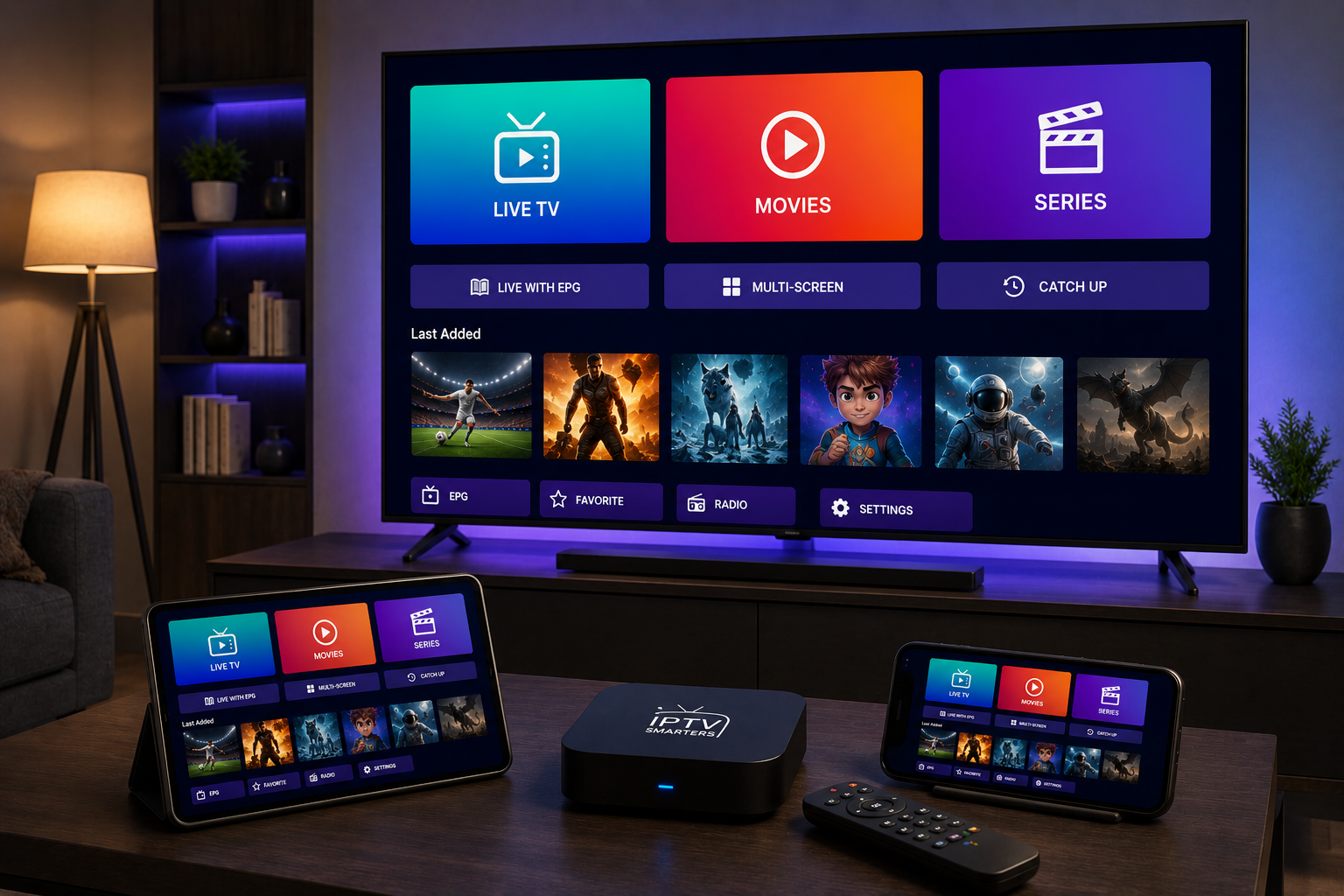
An iptv smarters player setup can turn your phone, tablet, Android TV, Apple TV, or laptop into a flexible screen for live channels, movies, series, and sports in Sweden. The app itself is only a media player, so it does not include channels by default. Your subscription, playlist, internet connection, and device settings decide whether the experience feels smooth or frustrating.
Why iptv smarters player is popular
The main appeal is simplicity. Many IPTV providers support Xtream Codes, M3U links, or playlist files, and Smarters style apps usually arrange content into live TV, video on demand, series, and TV guide sections. That structure feels familiar even for beginners.
It also works across many devices. A good player makes that easier, but every device needs testing before you rely on it for match night.
What the competitors show
The Google Play listing for IPTV Smart Player is built around Android users. It highlights M3U and M3U8 support, Chromecast, many video formats, SD, HD, 1080p, 720p, 4K, playlists, filters, and the important note that users must add their own legal content.
The App Store listing for Smarters IPTV Player is aimed at iPhone, iPad, Apple TV, and Mac users. It promotes fast M3U streaming, a one week trial, device activation after the trial, language support, crash fixes, low quality playback fixes, and no data collection. The missing piece in both pages is a practical setup guide for Swedish households.
Before you install
Start with your IPTV details. Ask whether your subscription uses Xtream Codes, an M3U link, or another login method. Save the server address, username, password, and playlist URL privately. Do not paste them into public forums or group chats.
Next, choose your main device. Android TV or Fire TV is usually best for a sofa experience. iPhone and iPad are useful for travel. Apple TV can feel polished, but app availability and activation costs vary.
With a JA IPTV service, you can watch live TV, sports, movies, series, HD, FHD, 4K, and EPG on the devices you actually use.
Installation on Android
Open Google Play and search for the app name carefully. Check the developer, reviews, ads, in app purchases, latest update, and data safety section. Avoid random APK files unless you fully trust the source, because phones and TV boxes often hold personal accounts.
Install the app, open it, and choose the login method your provider gave you. For Xtream Codes, enter server URL, username, and password exactly. For M3U, paste the full playlist link without extra spaces.
After logging in, wait for categories and guide data to load.
Installation on iPhone and Apple TV
On Apple devices, use the App Store. Confirm iOS, iPadOS, tvOS, or macOS requirements before paying for activation. Enter your playlist or M3U details exactly. If the app supports Apple TV, test the remote control, full-screen playback, subtitles, and whether the same account can be used on more than one Apple device.
EPG, categories, and favorites
EPG is the program guide. It shows what is playing now and what comes next. If the guide is empty, the problem may be the provider, the channel name, the TVG ID, or the app cache. Check time zone settings, then refresh the guide.
Create favorites immediately. Put Swedish news, sports, kids, movies, and international channels into clean groups. Hide categories nobody uses. A shorter list loads faster and makes the app easier for the whole family.
With a JA IPTV subscription you should test the guide on your main screen, not only on a phone. Small EPG issues become more annoying when everyone is watching from the sofa.
Picture quality and network settings
Do not start with 4K just because the app supports it. Begin with stable HD, then test FHD and 4K. If 4K freezes but HD works, your network, router, device, or stream quality may be the limit.
Use Ethernet for the main TV when possible. If you use WiFi, test near the screen, not beside the router. Evening testing is best because home networks and IPTV servers are usually busier then.
Compare how Monster IPTV presents device support and packages, but judge any service by how it performs on your own connection.
Privacy and safe use
A player should not need unnecessary access to contacts, photos, camera, or private files. Read the app store privacy section before installing. Also check if the app shares location, device identifiers, or performance data.
Use only content you have rights to watch. A media player can be legitimate while a playlist source is not. Avoid sellers who push unknown apps, lifetime packages, or vague payment methods. Legal and technical safety both matter.
Need help choosing an app, entering M3U, checking EPG, or fixing playback errors? You can contact JA IPTV on WhatsApp. Share your device model and app name, but never share passwords or card details in open chats.
Troubleshooting
The playlist does not load
Check your internet connection, subscription status, server URL, username, and password. Try the same link in VLC or another trusted player. If it works there, the issue is probably the app or format.
Channels buffer
Restart the router and device, switch to Ethernet, lower the resolution, and close background downloads. If only one channel buffers, the stream may be overloaded. If everything buffers, test another network.
Audio or subtitles are wrong
Open audio track or subtitle settings inside the player. Some streams include several tracks, while others include none. Test the same title on another device before blaming the subscription.
First week test plan
Do not buy long access or paid activation until you test real use. Open five Swedish channels, one sports channel, one movie, and one series. Check startup speed, picture quality, audio sync, subtitles, channel switching, EPG, and whether favorites remain after restart.
Test during the evening and during live sport if that matters to you before an important live match. Write down app version, device, network type, resolution, and any problems. This simple note makes support faster and helps you compare players fairly.
Let another person at home try the setup. The best player is not the one with the longest feature list. It is the one your household can use without constant help.
Common questions
Does the app include channels?
No. Most players are empty until you add your own valid subscription, playlist, or login details.
Is Xtream better than M3U?
Xtream often organizes live TV, movies, series, and guide data more neatly. M3U is flexible and useful for testing.
Can I use one account on several devices?
It depends on your subscription and active stream limit. Installed devices and simultaneous streams are not always the same thing.
Should I pay for activation?
Only after testing the app on your main device, network, and favorite channels.
A good setup is about more than installing an app. Your device, playlist, EPG, network, privacy choices, and support all affect the final experience. Test carefully, start with stable HD, organize favorites, and keep your login details private. If you want flexible IPTV packages, simple setup, and help for Swedish devices, you can get started with JA IPTV and build a smoother streaming setup at home.